Usage
Overview
Climate Impacts Online shows how the climate and its impacts on sectors such as agriculture, forests, water, energy, tourism and health may develop, for the region you selected. The climate sector shows the climatic changes themselves; the other sectors show possible climate impacts. Maps, diagrams and tables are based on observations and on climate model simulations for different scenarios.
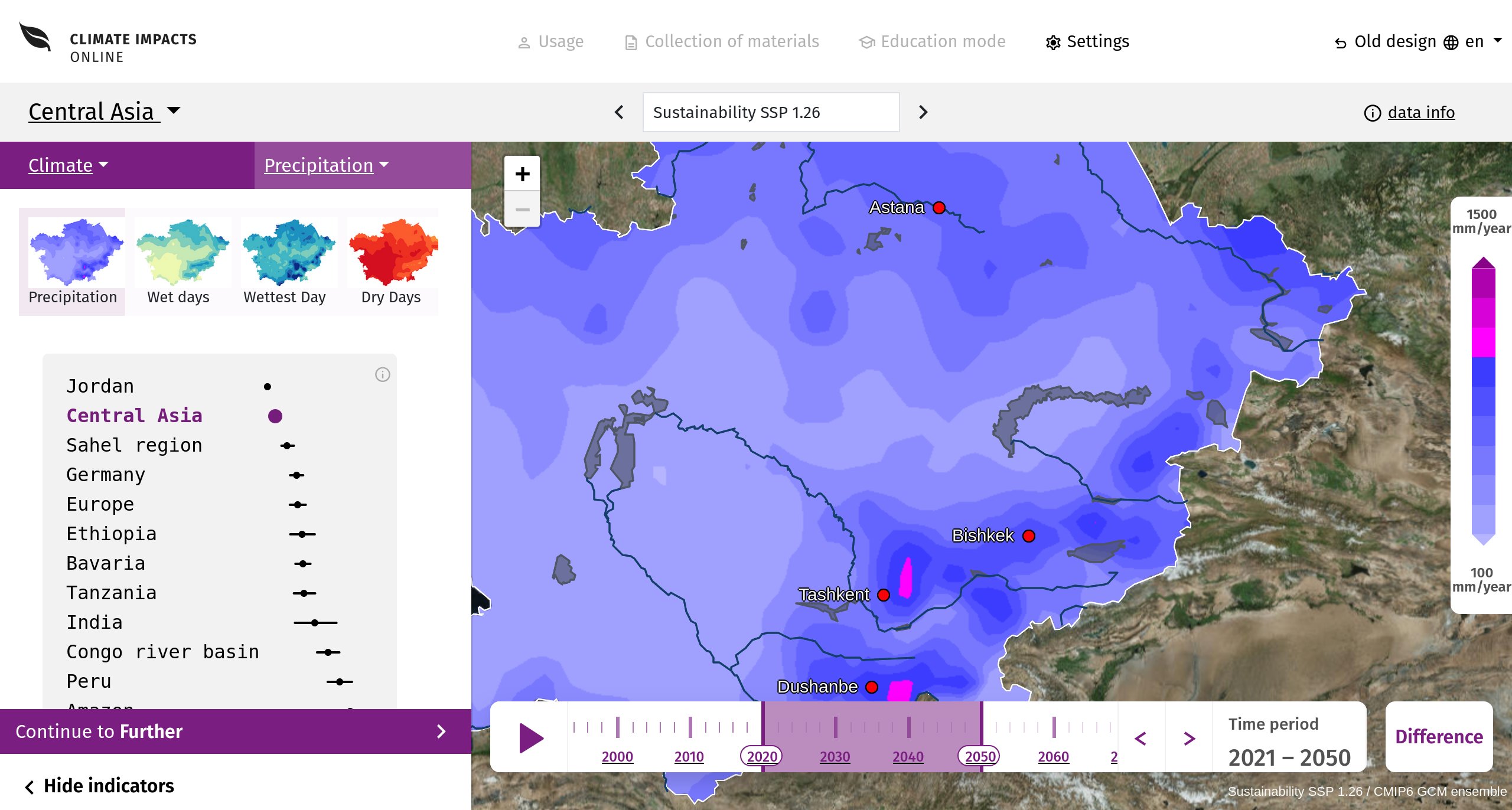
The page at a glance
- Region (top left): switch to another region or country.
- Scenario (centre of the second bar): choose the future scenario; the arrows step through the scenarios.
- Data info (top right): background on the data, the models and the methods.
- Sidebar (left): choose the sector (e.g. Climate) and the variable group (e.g. Temperature), then the variable. The row of variables can hold more than fit on the screen: scroll it sideways (mouse wheel or touchpad, or swipe left on a phone) to reach the further variables of the group. Below, every region of the portal is compared for the selected variable; the current region is highlighted. Further down you find the description of the variable. „Continue to …“ leads to the next variable group.
- Map (right) with the legend of the colour scale and, at the bottom, the time line: choose the period, start the animation with the play button, or switch to the Difference to the reference period.
- Top bar: Settings, the language and „Old design“ (the previous version of the portal).
On smartphones and tablets
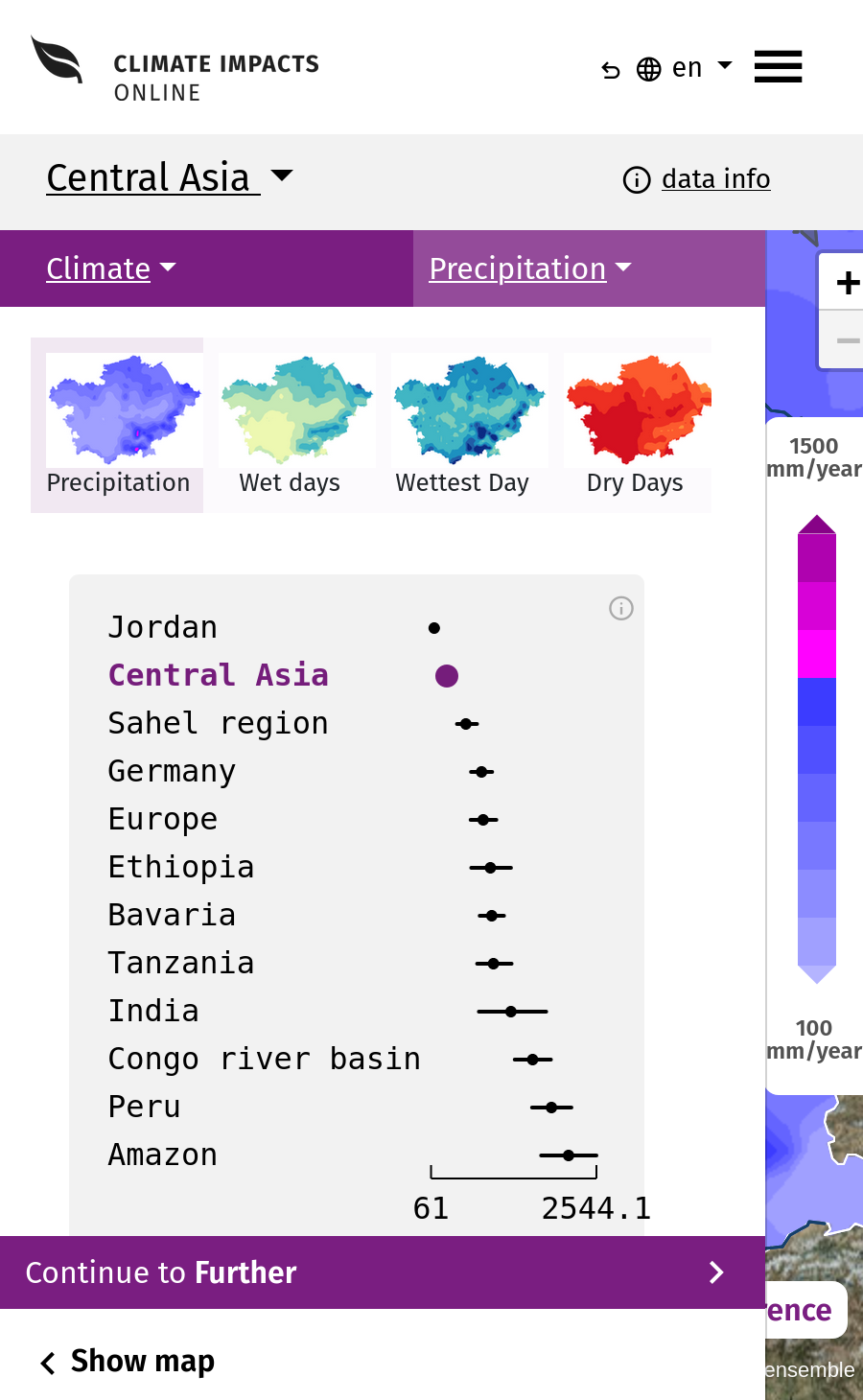
The portal adapts to the screen. On a smartphone the sidebar and the map are shown one after the other: „Show map“ and „Hide indicators“ switch between them, and the top bar is collapsed into the menu button (☰).
Settings
The button Settings in the top bar opens the settings. They apply to the map, the diagrams and the tables alike.
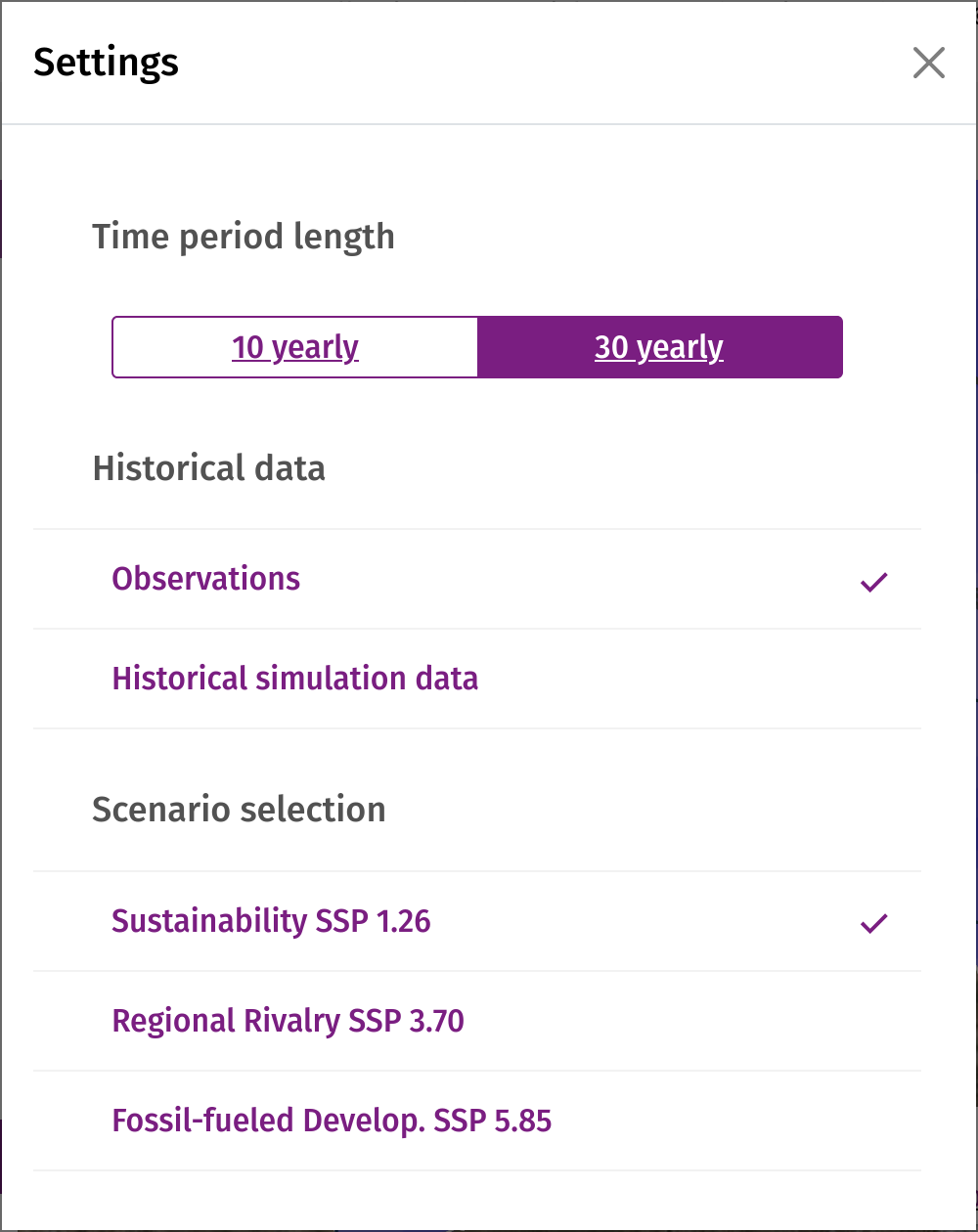
- Time period length: means over 10 or 30 years.
- Historical data: observations, or historical simulations of the climate models (where available).
- Scenario selection: the future scenario (also selectable in the second bar).
- Seasons: the whole year or a single season, for variables that offer seasons.
- Map diagram layer: the regions the diagrams refer to, e.g. administrative regions or, where offered, protected areas, forests or mountain ranges.
- Display type: Contours (smooth map), Region fill (one colour per region, the value of the regional mean) or the model grid.
- Map info layer: show cities, rivers, mountains or forests on the map.
- Difference map: in difference mode the change against the reference period 1991–2020, as an absolute or a relative (%) change.
- Expert mode: additional diagrams, e.g. daily values for some climate variables.
Map, zoom and time line
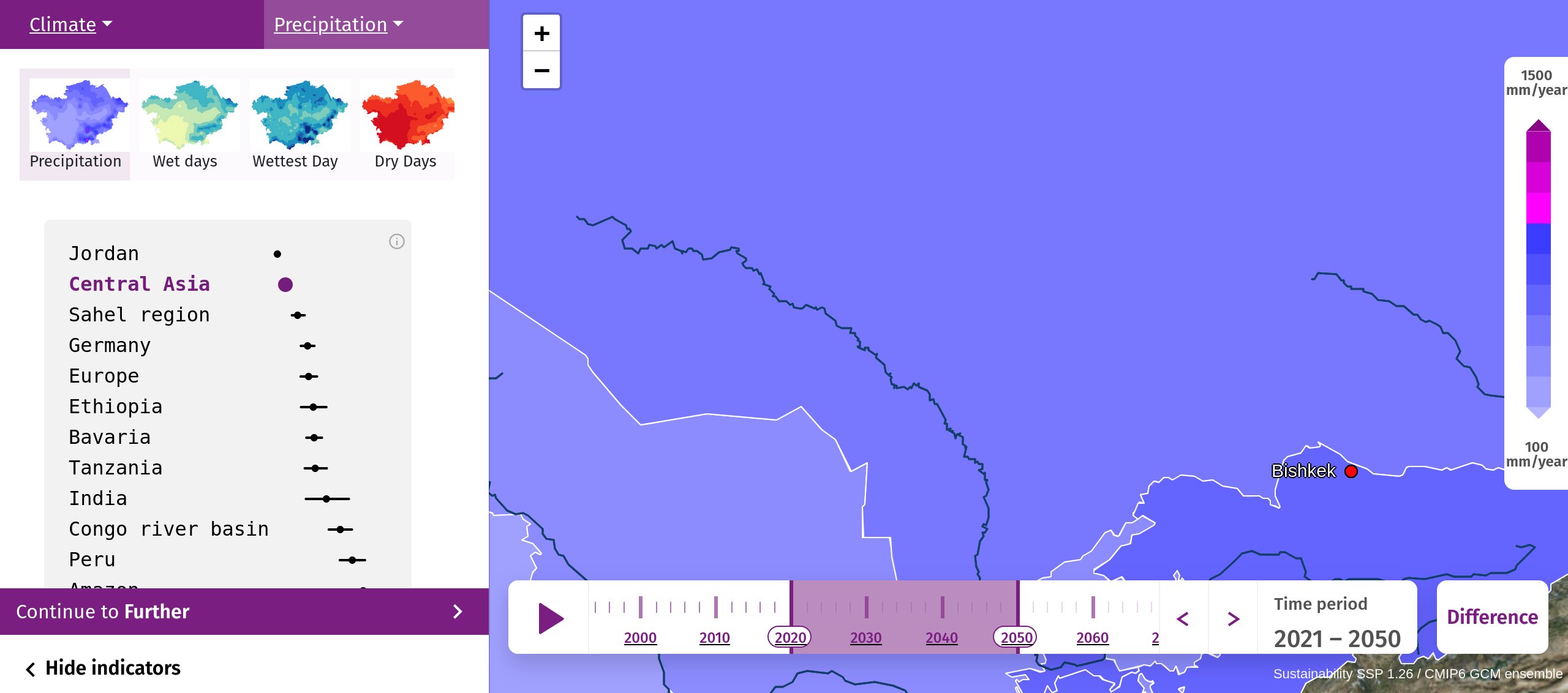
Zoom with the mouse wheel, with two fingers or with the plus and minus buttons. The zoom level decides which regions you can select: zoomed out the whole region or country, zoomed in its sub-regions, e.g. federal states and, one level further, districts. The finer levels are only reached by zooming in – zoom in first to get the diagrams and tables of a single district.
In the time line at the bottom of the map you choose the period. The play button shows the periods one after the other, the arrows move one period back or forward. Difference switches between absolute values and the change against 1991–2020.
Diagrams and tables
Click on a region of the map to open its diagram. Which regions can be clicked depends on the zoom level: zoom in to reach the sub-regions, e.g. the districts, and their diagrams and tables. The name of the region is shown when you move over it. Regions without a value (e.g. a district for which a yield model failed its validation) are grey and cannot be selected.
Time series
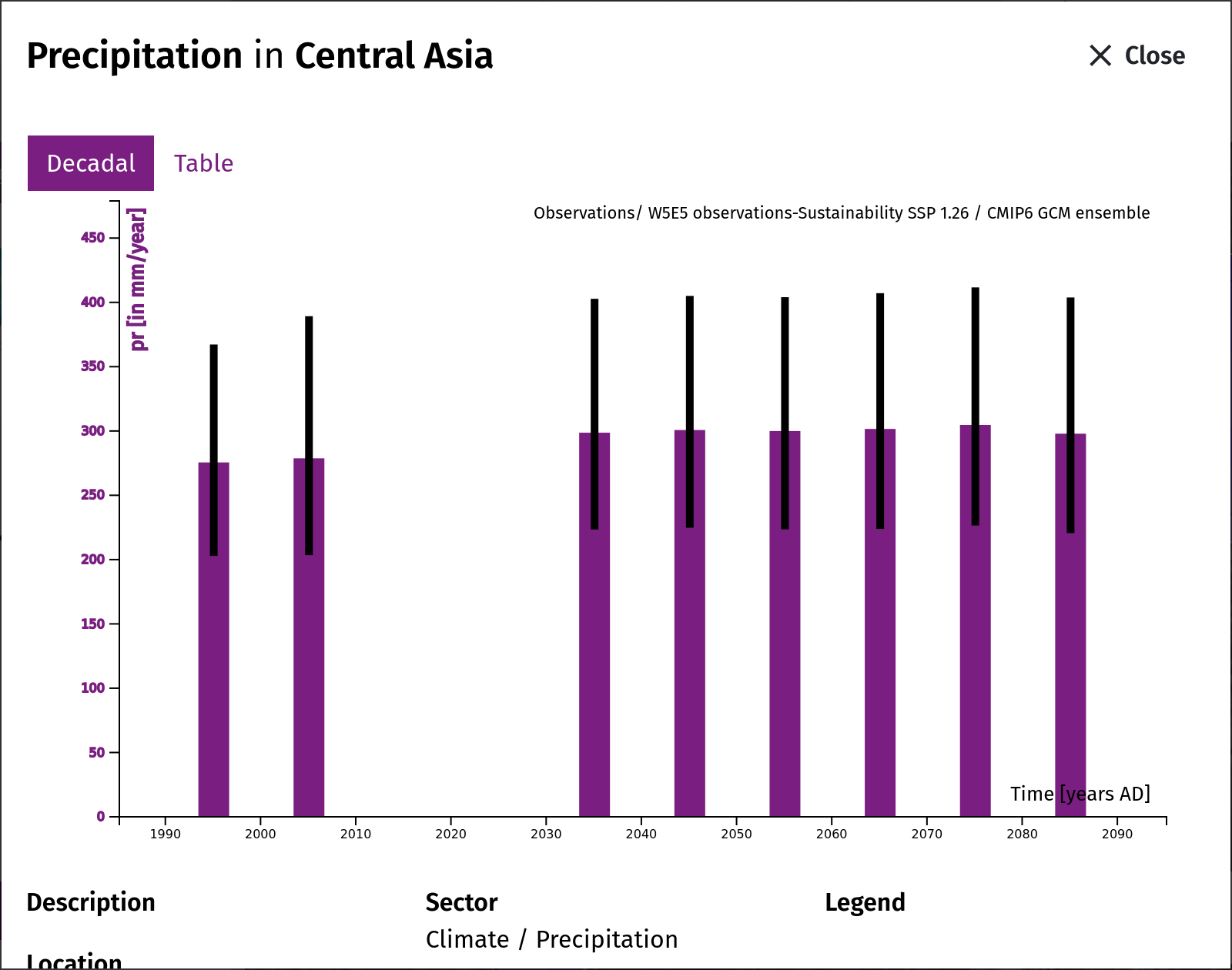
The tab Decadal shows the 10- or 30-year means of the selected variable from the observation period until 2100, for the selected scenario and season. The y-axis shows the variable in its unit, the dashed vertical line marks the end of the observation period. Three curves (or, for some variables, bars with error bars) summarise the model ensemble: the median (50th percentile) and the range from the 10th to the 90th percentile, i.e. 80 % of the model results lie between the lower and the upper value.
Monthly values and climate diagram
For many variables that offer seasons there is a further tab with the monthly values of the selected period, January to December: the median with the range from the 10th to the 90th percentile, and as a dashed line the reference period 1991–2020. For mean temperature and precipitation the tab shows a climate diagram after Walter and Lieth: the temperature as a line on the left axis and the precipitation as bars on the right axis, scaled so that 10 °C correspond to 20 mm; where the temperature line lies above the bars, the month tends to be dry. The tab appears only where monthly values have already been calculated for the region.
Table
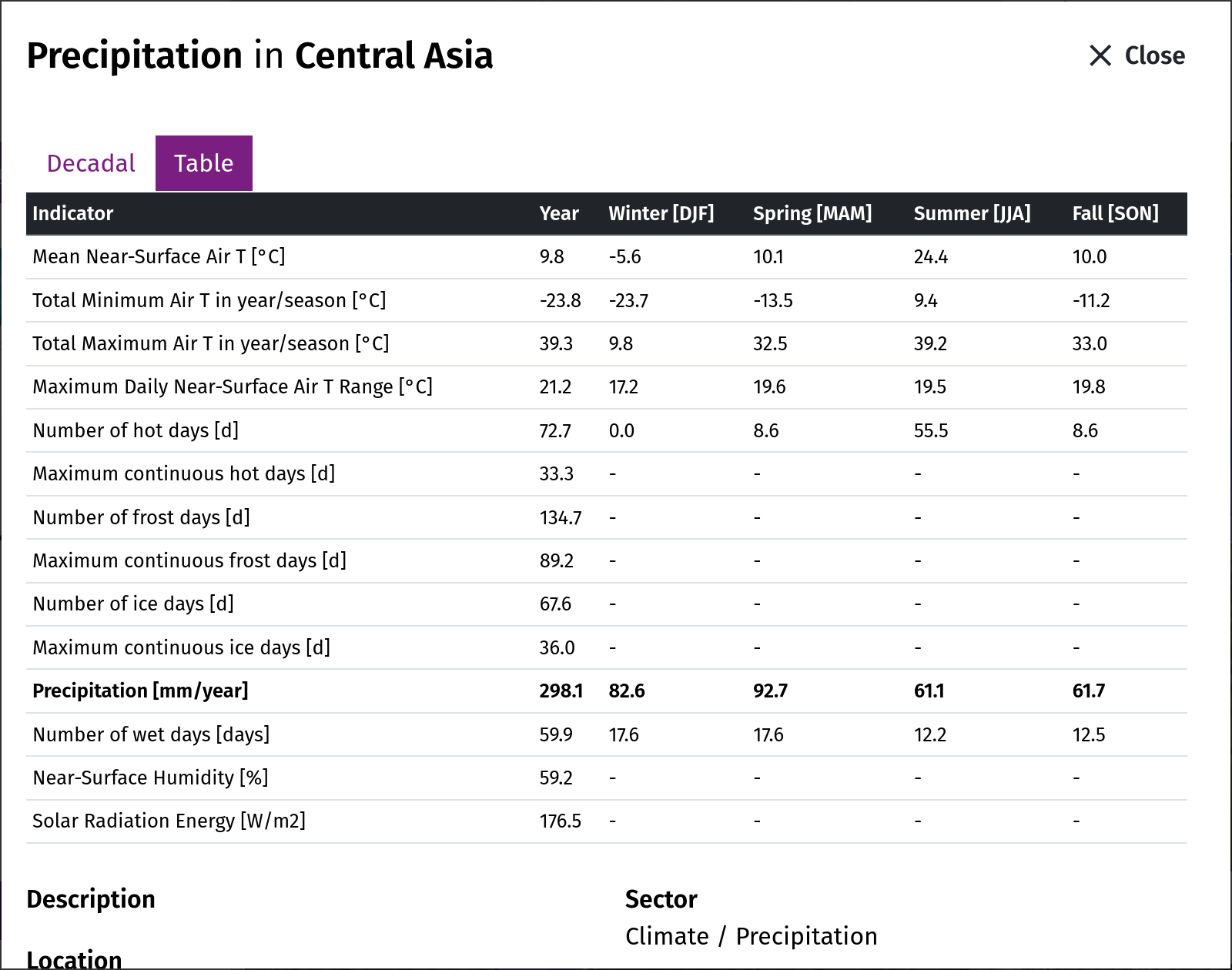
The tab Table lists the values of the selected period for the whole year and the seasons.
Data download
Below the diagram you find the description of the data, the region, the period and the legend, and the links to download the data shown.